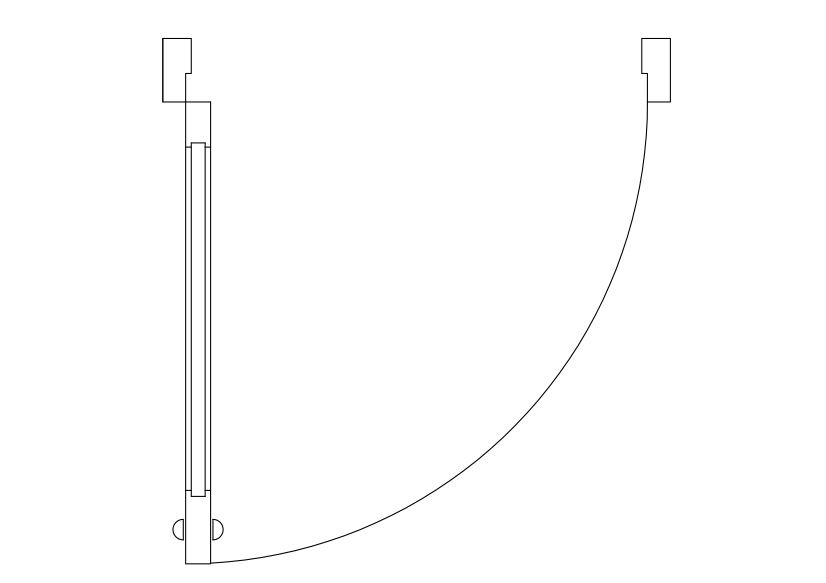
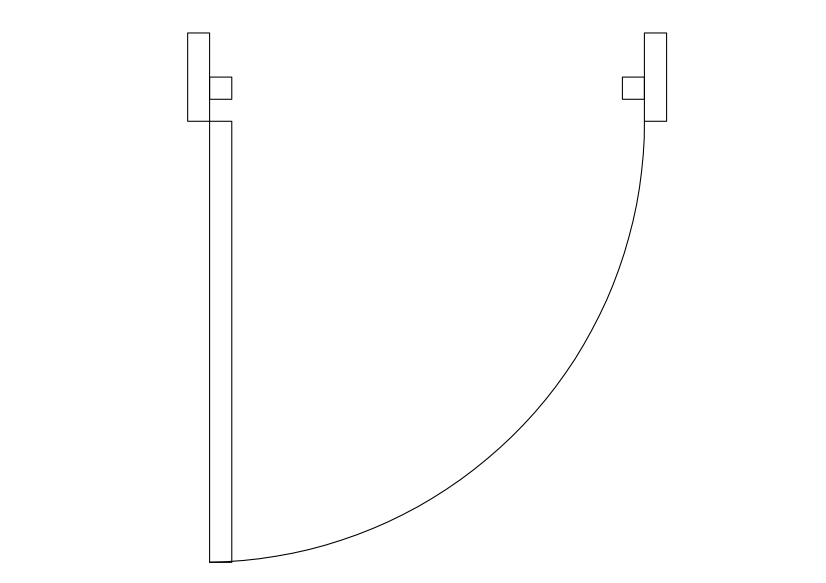
Free Single Door Top View CAD Block – DWG, DXF, PDF Format
A door is a panel made usually of a hard, impermeable, and hard-to-break substance (such as wood or metal), with or without windows, but sometimes consisting of a hard frame into which glass or screens have been fitted, attached to hinges by which it is attached to a frame that constitutes a space for ingress into or egress from a building, room, or vehicle, such that the panel may be moved in various ways (at angles away from the frame, by sliding on a plane parallel to the frame, by folding in angles on a parallel plane, or by spinning along an axis at the center of the frame) to allow or prevent ingress or egress. In most cases, a door's interior matches its exterior side but in other cases (e.g., a vehicle door) the two sides are radically different in form to support activities of entering or exiting that differ from one another. Often doors have locking mechanisms to ensure that only the owner or custodian or other persons who have rightful access to a space can open them, and can have knockers or doorbells by which outsiders can announce their presence and summon someone either to open the door for them or give permission to open and enter. Apart from providing access into and out of a space, doors can have the secondary functions of ensuring privacy by preventing unwanted attention from outsiders, of separating areas with different functions, of allowing light to pass into and out of a space, of controlling ventilation or air drafts so that interiors may be more effectively heated or cooled, of dampening noise, and of blocking the spread of fire. Doors may have aesthetic, symbolic, ritualistic purposes. To be given the key to a door can signify a change in status from outsider to insider. Doors and doorways frequently appear in literature and the arts with metaphorical or allegorical import as a portent of change.
You need more Architectural DWG and AutoCAD Blocks and Drawings? Check the Architecture Category. Access our entire CAD blocks and DWG drawings on our homepage. For free 3D files, visit Freepolygon. Need free vector illustrations? Check out Vectorfreefiles. Stay updated with the latest design news and insights at Designrecap. Explore a global directory of design professionals and firms at Meshegg. Explore more resources for architecture students and professionals at Archiskills.
REQUEST A FILE FOR FREE
SIMILAR KEYWORDS
FAQ
-
01.
HOW CAN I EARN MONEY BY UPLOADING MY CAD FILES TO FREECADS?
You can earn ad revenue from your uploaded models. Every file you upload gets its own page with ads, and you receive an 80% share of the revenue generated from that page. The more people view your work, the more you earn.
-
02.
WHEN AND HOW ARE PAYMENTS MADE TO CREATORS?
Earnings are updated daily and paid every month using the industry standard net 40 system. That means revenue generated in one month is paid 40 days later, directly to your PayPal account.
-
03.
WHAT TYPES OF FILES CAN I UPLOAD OR DOWNLOAD ON FREECADS?
Freecads supports a wide range of professional file formats including DWG, DXF, PDF, SKP, RVT, IFC, 3DM, STEP, STP, PLN, DGN, IGS, SLDPRT, FCSTD, IPT, PRT, CATPART, 3DXML, IMODEL, and more. You can upload and download 2D and 3D models across multiple design platforms.
-
04.
WHAT IS THE DIFFERENCE BETWEEN FREE AND PREMIUM MEMBERSHIPS?
Both Free and Premium members can upload and earn from their files. Free Members can upload up to 30 files per month and track their last 30 downloads, while Premium Members enjoy an ad free experience throughout the site, unlimited uploads, unlimited download history, and priority access to new features for €2.9 per month or €19.9 per year. Both tiers can still download an unlimited amount of files.
-
05.
WHAT IS NEW IN THE LATEST VERSION OF FREECADS?
The new Freecads introduces a redesigned interface, faster search, expanded file support, and a creator dashboard that lets you track views, downloads, and earnings in real time. It is now simpler, faster, and fairer for everyone.