
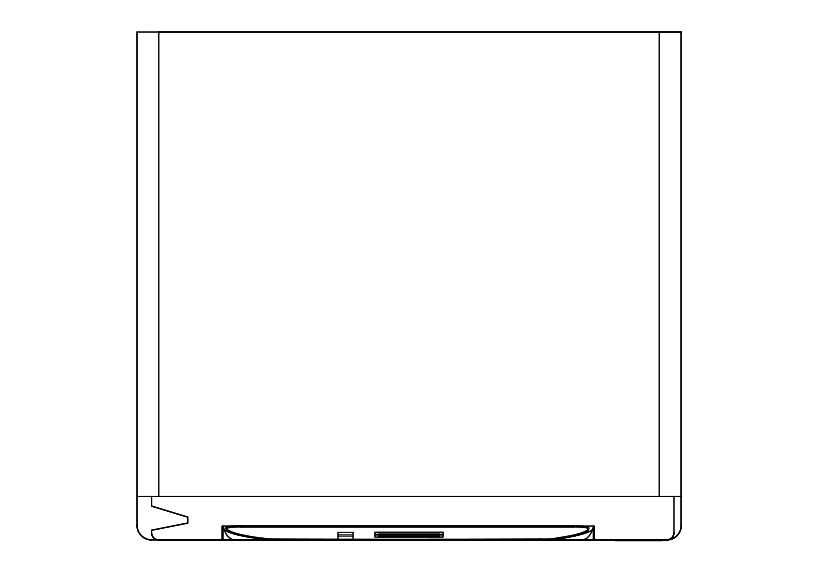
Free Dish Washer Top View CAD Block – DWG, DXF, PDF Format
A dishwasher is a mechanical device for cleaning dishware and cutlery automatically. Unlike manual dishwashing, which relies largely on physical scrubbing to remove soiling, the mechanical dishwasher cleans by spraying hot water, typically between 45 and 75 °C, at the dishes, with lower temperatures used for delicate items. A mix of water and dishwasher detergent is pumped to one or more rotating spray arms, which blast the dishes with the cleaning mixture. Once the wash is finished, the water is drained, more hot water enters the tub by means of an electro-mechanical solenoid valve, and the rinse cycle begins. After the rinse cycle finishes and the water is drained, the dishes are dried using one of several drying methods. Typically a rinse-aid, a chemical to reduce surface tension of the water, is used to reduce water spots from hard water or other reasons. In addition to domestic units, industrial dishwashers are available for use in commercial establishments such as hotels and restaurants, where a large number of dishes must be cleaned. Washing is conducted with temperatures of 65–71 °C and sanitation is achieved by either the use of a booster heater that will provide an 82 °C "final rinse" temperature or through the use of a chemical sanitizer.
You need more DWG and AutoCAD Kitchen Blocks and Drawings? Check the Kitchen Category. Access our entire CAD blocks and DWG drawings on our homepage. For free 3D files, visit Freepolygon. Need free vector illustrations? Check out Vectorfreefiles. Stay updated with the latest design news and insights at Designrecap. Explore a global directory of design professionals and firms at Meshegg. Explore more resources for architecture students and professionals at Archiskills.
REQUEST A FILE FOR FREE
SIMILAR KEYWORDS
FAQ
-
01.
HOW CAN I EARN MONEY BY UPLOADING MY CAD FILES TO FREECADS?
You can earn ad revenue from your uploaded models. Every file you upload gets its own page with ads, and you receive an 80% share of the revenue generated from that page. The more people view your work, the more you earn.
-
02.
WHEN AND HOW ARE PAYMENTS MADE TO CREATORS?
Earnings are updated daily and paid every month using the industry standard net 40 system. That means revenue generated in one month is paid 40 days later, directly to your PayPal account.
-
03.
WHAT TYPES OF FILES CAN I UPLOAD OR DOWNLOAD ON FREECADS?
Freecads supports a wide range of professional file formats including DWG, DXF, PDF, SKP, RVT, IFC, 3DM, STEP, STP, PLN, DGN, IGS, SLDPRT, FCSTD, IPT, PRT, CATPART, 3DXML, IMODEL, and more. You can upload and download 2D and 3D models across multiple design platforms.
-
04.
WHAT IS THE DIFFERENCE BETWEEN FREE AND PREMIUM MEMBERSHIPS?
Both Free and Premium members can upload and earn from their files. Free Members can upload up to 30 files per month and track their last 30 downloads, while Premium Members enjoy an ad free experience throughout the site, unlimited uploads, unlimited download history, and priority access to new features for €2.9 per month or €19.9 per year. Both tiers can still download an unlimited amount of files.
-
05.
WHAT IS NEW IN THE LATEST VERSION OF FREECADS?
The new Freecads introduces a redesigned interface, faster search, expanded file support, and a creator dashboard that lets you track views, downloads, and earnings in real time. It is now simpler, faster, and fairer for everyone.