
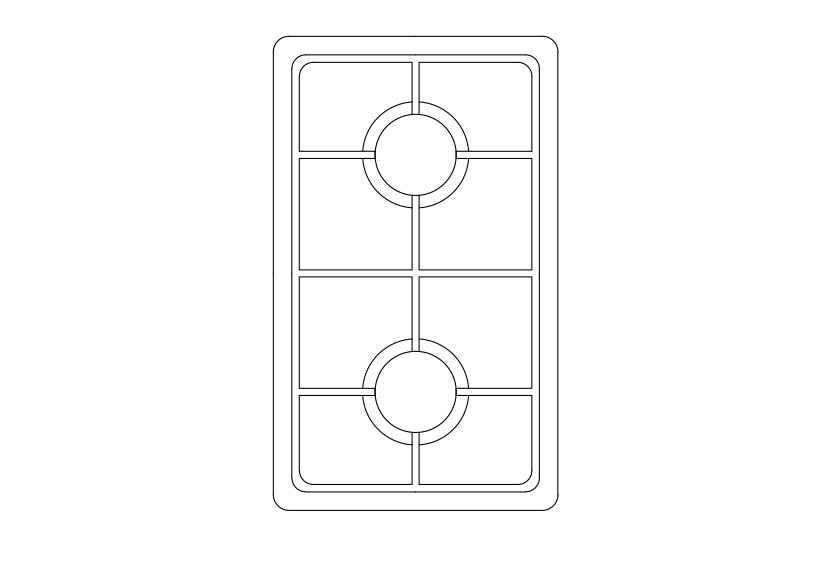
Free Double Hob Top View CAD Block – DWG, DXF, PDF Format
A kitchen stove, often called simply a stove or a cooker, is a kitchen appliance designed for the purpose of cooking food. Kitchen stoves rely on the application of direct heat for the cooking process and may also contain an oven, used for baking. "Cookstoves" (also called "cooking stoves" or "wood stoves") are heated by burning wood or charcoal; "gas stoves" are heated by gas; and "electric stoves" by electricity. A stove with a built-in cooktop is also called a range. In the industrialized world, as stoves replaced open fires and braziers as a source of more efficient and reliable heating, models were developed that could also be used for cooking, and these came to be known as kitchen stoves. When homes began to be heated with central heating systems, there was less need for an appliance that served as both heat source and cooker and stand-alone cookers replaced them. Cooker and stove are often used interchangeably. The fuel-burning stove is the most basic design of kitchen stove. "Nearly half of the people in the world (mainly in the developing world), burn biomass (wood, charcoal, crop residues, and dung) and coal in rudimentary cookstoves or open fires to cook their food." More fuel efficient and environmentally sound biomass cook stoves are being developed for use there.
You need more DWG and AutoCAD Kitchen Blocks and Drawings? Check the Kitchen Category. Access our entire CAD blocks and DWG drawings on our homepage. For free 3D files, visit Freepolygon. Need free vector illustrations? Check out Vectorfreefiles. Stay updated with the latest design news and insights at Designrecap. Explore a global directory of design professionals and firms at Meshegg. Explore more resources for architecture students and professionals at Archiskills.
REQUEST A FILE FOR FREE
SIMILAR KEYWORDS
FAQ
-
01.
HOW CAN I EARN MONEY BY UPLOADING MY CAD FILES TO FREECADS?
You can earn ad revenue from your uploaded models. Every file you upload gets its own page with ads, and you receive an 80% share of the revenue generated from that page. The more people view your work, the more you earn.
-
02.
WHEN AND HOW ARE PAYMENTS MADE TO CREATORS?
Earnings are updated daily and paid every month using the industry standard net 40 system. That means revenue generated in one month is paid 40 days later, directly to your PayPal account.
-
03.
WHAT TYPES OF FILES CAN I UPLOAD OR DOWNLOAD ON FREECADS?
Freecads supports a wide range of professional file formats including DWG, DXF, PDF, SKP, RVT, IFC, 3DM, STEP, STP, PLN, DGN, IGS, SLDPRT, FCSTD, IPT, PRT, CATPART, 3DXML, IMODEL, and more. You can upload and download 2D and 3D models across multiple design platforms.
-
04.
WHAT IS THE DIFFERENCE BETWEEN FREE AND PREMIUM MEMBERSHIPS?
Both Free and Premium members can upload and earn from their files. Free Members can upload up to 30 files per month and track their last 30 downloads, while Premium Members enjoy an ad free experience throughout the site, unlimited uploads, unlimited download history, and priority access to new features for €2.9 per month or €19.9 per year. Both tiers can still download an unlimited amount of files.
-
05.
WHAT IS NEW IN THE LATEST VERSION OF FREECADS?
The new Freecads introduces a redesigned interface, faster search, expanded file support, and a creator dashboard that lets you track views, downloads, and earnings in real time. It is now simpler, faster, and fairer for everyone.